LoggerPro
Diagnostics for people who build Unity Editor tools
- Available
- Tool
- Unity 2022.3 LTS+ · no third-party packages · no render pipeline dependency
- $40
- C# · Unity 2022.3+ · Assembly definitions · IMGUI
A diagnostics workshop for your own project, and a support channel between you and the people who buy what you make.
A runtime logging framework, or something your players ever see. The console, the scanners and everything that writes a file are Editor-only and never compiled into a player.
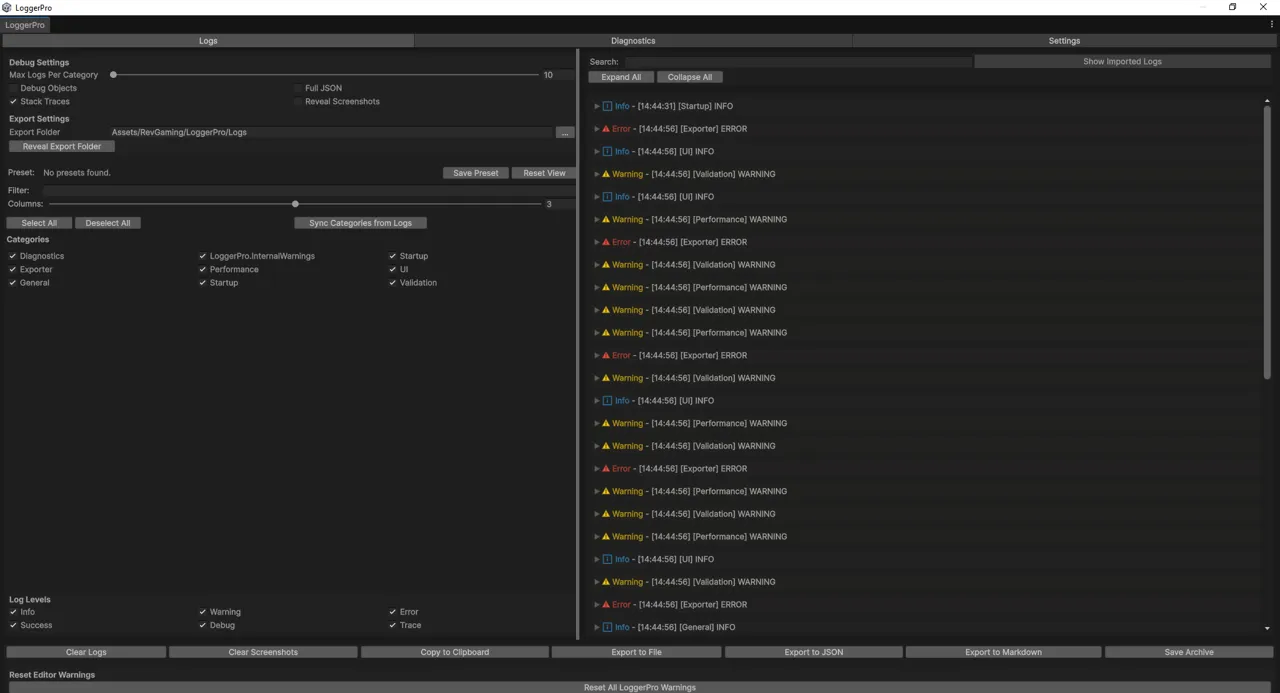
LoggerPro — the window
Two halves that need each other
A console for you. LoggerPro mirrors Unity’s own log stream, so it replaces the console rather than sitting beside it — third-party asset output, unhandled exceptions and compiler errors all land in the same place, categorised, filtered, deduplicated, with clickable stack frames. Captured logs are grouped by where they came from, so you can mute one noisy asset without muting your own code.
Categories are created on first use. You keep your existing logging calls and you do not need conditional compilation.
Since 2.0, game code can log too. A MonoBehaviour calls LoggerPro and the
entries appear in the console during Play Mode, filtered by the same categories
as your editor logs. That is the one change to the package’s footprint — see
What ships in your build below, which states the cost rather than claiming
there isn’t one.
Logs survive a recompile. Editing a script no longer empties the console, so the reproduce-then-tweak loop keeps its history. Cleared when the editor closes, not when you fix a typo.
A support channel for your users. LoggerProLite is a small console you ship inside your own asset. Your customer hits a bug, opens a window branded with your asset’s name, and clicks Send Report. They get a preview first, with paths and usernames scrubbed by default. You get an archive you import in one click.
What arrives with it: their logs with categories, severities and timestamps intact — plus Unity version, build target, scripting backend, API level, render pipeline, colour space, define symbols, installed packages, and which version of your asset they were running.
Which is to say: the bug report is already filled in, and the follow-up email asking what version they’re on never has to be sent.
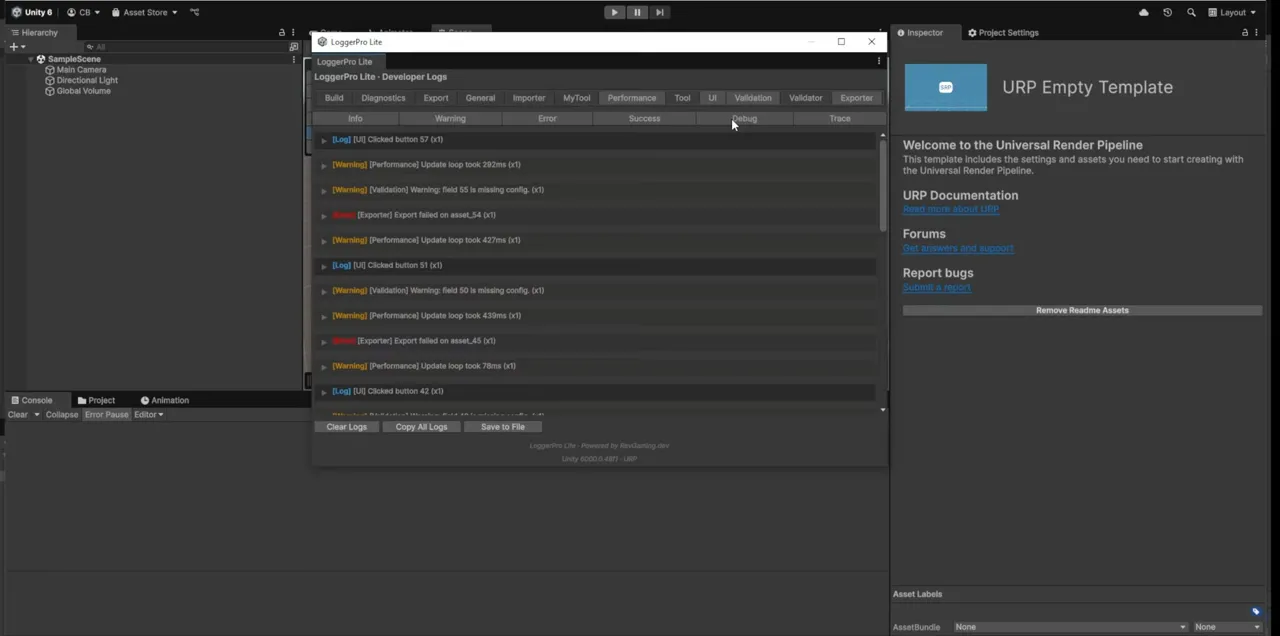
That is Lite in a bare URP template — no LoggerPro installed, nothing else in the project. Which is the point: it is what your customer sees, in their project, not what you see in yours.
The diagnostics suite
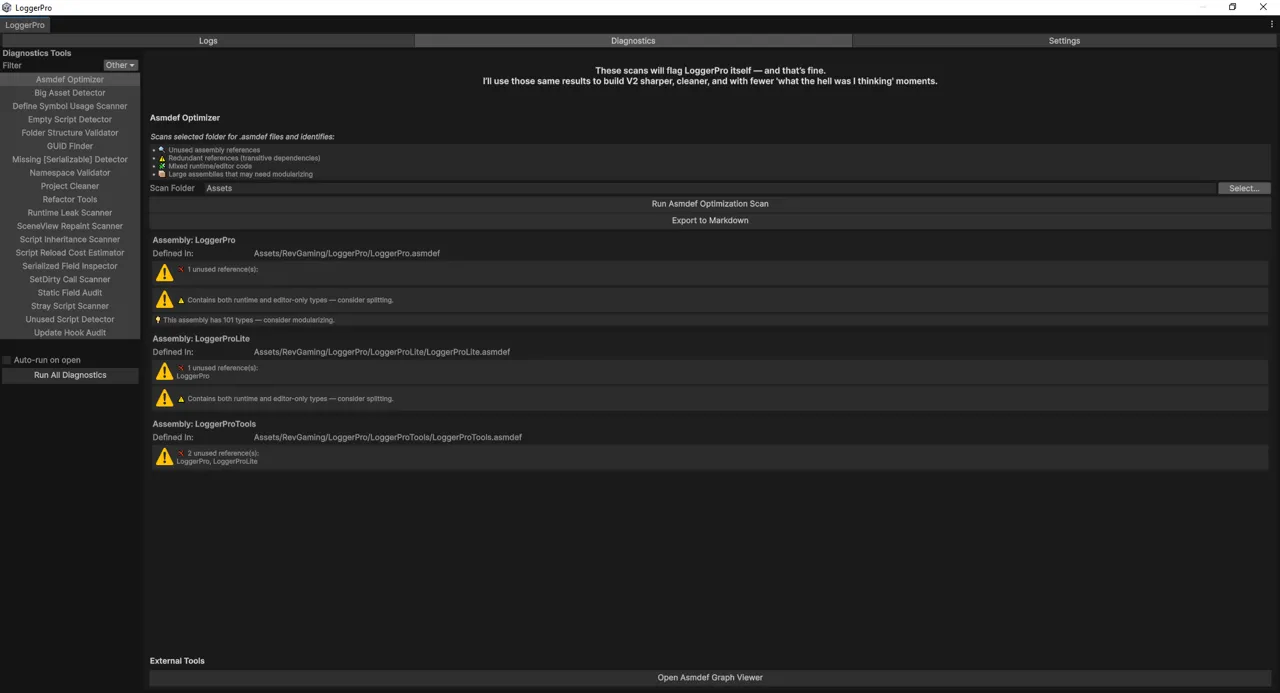
Twenty scanners — the number is stated rather than rounded up, because you can count them in the sidebar. They look for what breaks an asset once it is installed in someone else’s project: leaked statics, update hooks that never unsubscribe, asmdef mistakes, orphaned files, namespace drift, oversized assets, serialization traps.
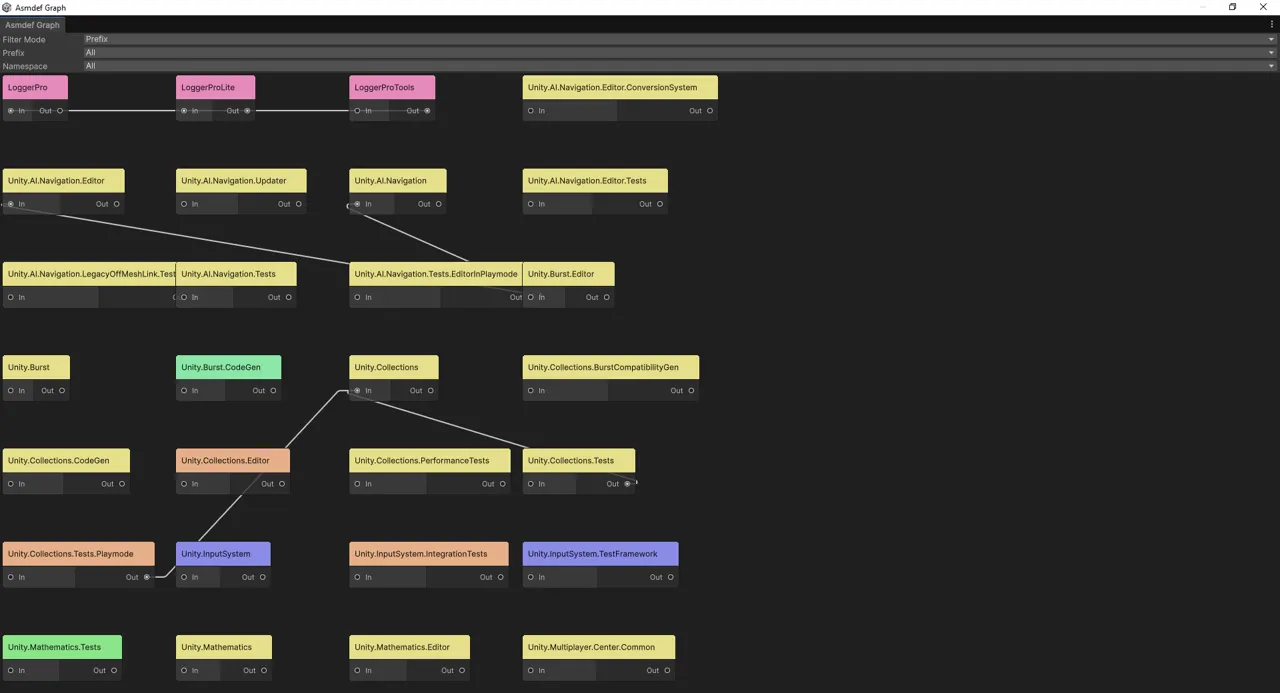
Asmdef Optimizer · Asmdef dependency graph · Big Asset Detector · Define
Symbol Scanner · Empty Script Detector · Folder Structure Validator · GUID
Finder · Missing [Serializable] Detector · Namespace Validator · Project
Cleaner · Refactor Tools · Runtime Leak Scanner · SceneView.RepaintAll
Scanner · Script Inheritance · Script Reload Cost Estimator · Serialized Field
Inspector · EditorUtility.SetDirty Scanner · Static Field Audit · Stray
Script Scanner · Unused Script Detector · Update Hook Audit
They scan anything you point them at, including LoggerPro itself, and nothing is filtered out. The screenshot above is the Asmdef Optimizer doing exactly that — reporting unused references and mixed runtime/editor code in LoggerPro’s own assemblies, with a note at the top of the panel that says so rather than quietly excluding itself from the results. Several checks are heuristics. A finding in code you do not own is information rather than a task list, and a result is a lead to confirm rather than a defect proven. The tool says so itself, in those words.
A dismissed finding stays dismissed. Triage once, and the rescan before your next release shows you what changed rather than everything you already decided about. Each scanner shows what it is hiding, with per-item and bulk restore.
Scanners report progress, can be cancelled, and say how much they examined — so an empty result reads as an answer rather than a failure. They also state what kind of codebase they assume, and warn before a fix writes into a folder you did not tell LoggerPro you own.
The unused-script scan splits its results into what can be proven unreachable and public API with no caller in this project — which, for a library, is normal rather than a defect.
Nothing a tool removes is deleted. It goes to _LoggerProTrash/,
restorable from Tools ▸ LoggerPro ▸ Restore From Trash.
New tools are discovered automatically — implement IDiagnosticTool and it
appears in the sidebar. There is no registration step.
Details that only matter once you are using it
The log list is virtualised, so a full session costs the same to draw as an empty one. Selecting an entry opens a details pane with clickable stack frames.
Stack traces start at the line you wrote, not ten frames of LoggerPro’s own plumbing.
Configuration lives in ProjectSettings/LoggerPro.json, outside Assets.
An asset update can no longer overwrite your category list, and it is a
readable diff you can commit — so a team shares one set of categories instead
of each person inventing their own.
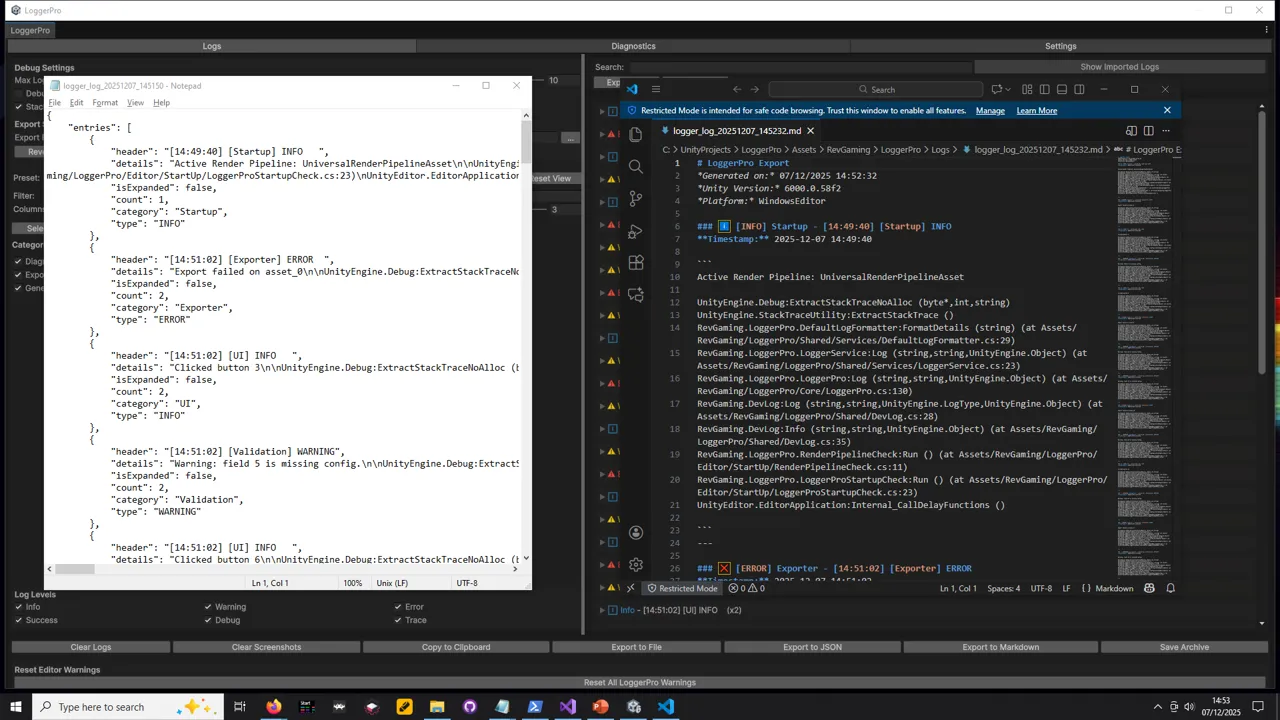
Export formats are a registry. The buttons along the bottom of the console
are built from it: implement ILogExportFormat, register it, and yours sits
beside the built-in ones.
The documentation is in the console, as a Help tab — quick start, categories, logging from game code, the report loop, custom exporters, with copyable snippets. Reading it does not require leaving Unity.
What ships in your build
The console, the diagnostics and everything that writes a file are Editor-only
— LoggerPro.asmdef sets includePlatforms: ["Editor"], so none of it is
compiled into a player.
LoggerPro.Runtime is the exception and has to be, because it holds the API
your game code calls. It is small: the logging facade, categories, a capped
in-memory store and the configuration types. In a player the calls still work
and write to the Unity player log, but nothing is read or written to disk and
none of the console or diagnostics code is present.
So the cost in a build is a small assembly and a bounded list. Not zero — stating it as zero would be easier and would also be untrue.